
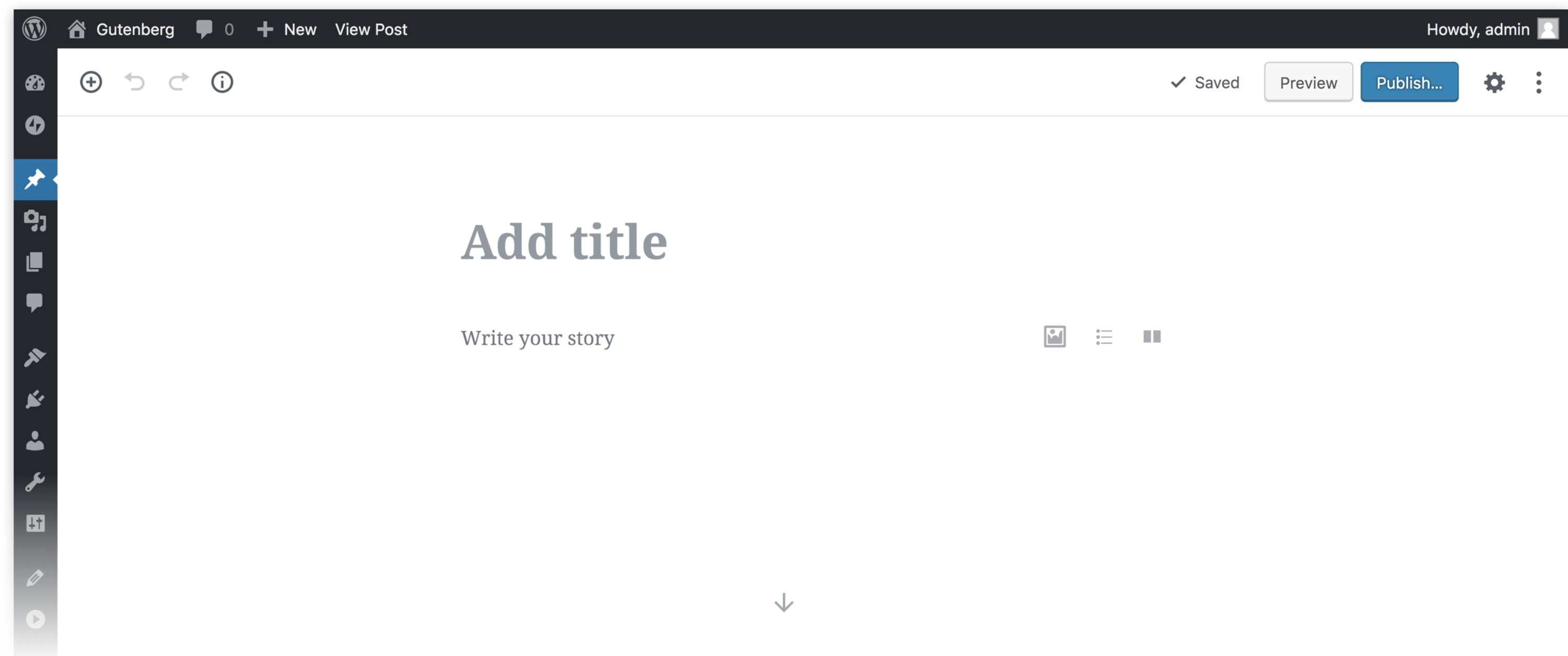
In today’s digital world, it’s crucial to ensure that websites are accessible and inclusive to everyone, regardless of their abilities or conditions. WordPress has always been at the forefront of making websites accessible, and now with the Gutenberg editor, creating an inclusive website experience has become even easier.
In this article, we’ll explore the accessibility benefits of the Gutenberg editor for WordPress users. We’ll also dive into the features that make it easier for those with disabilities and other accessibility concerns to access websites quickly and easily. All of this is for creating a user-friendly experience for all.
So let’s start exploring the guide.
Reasons Why Accessibility Matters in Web Design
Ensuring that a website is accessible benefits communities of all kinds. Not only those with disabilities or other accessibility concerns but everyone across the page. Creating an accessible website with services like Xcompliant encourages digital inclusion. You can do this by ensuring your content is easy to use and navigate, regardless of someone’s physical impairments.
Additionally, everyone on the internet can use helpful tools like automated image captions and alt texts as they traverse your website. Thus, helping them to interpret complex images with ease rapidly.
Lastly, website accessibility has practical implications in terms of SEO rankings. For instance, Google favors sites that comply with accessibility standards. That’s because these websites offer more overall flexibility for those searching for specific topics or items on the internet.
This results in improved ranking marks for you and a better online experience for all users with various impairments or conditions. In short, accessibility matters because it helps create smart websites people want to visit again and again.
The Benefits of the Gutenberg Editor for WordPress Users with Disabilities and Other Accessibility Concerns
WordPress accessibility and inclusivity are key components of web design. Fortunately, the Gutenberg editor offers a range of features that make it easier for WordPress users to meet web accessibility regulations. Let’s explore this powerful tool’s benefits to those with disabilities and other accessibility concerns.
Easy Customization and Navigation
Easy customization and navigation are one of the best features offered by the Gutenberg editor. It allows website creators to customize pages and posts with an intuitive drag-and-drop interface. This makes it much easier for users with disabilities to manage content layout.
In addition, the Gutenberg editor also offers helpful tools enabling website editors to customize their pages more easily.
Navigation also plays an important role in making your site accessible. The Gutenberg editor offers a range of keyboard commands that enable users to ‘skip’ elements they don’t need. It eliminates the need to use a mouse or trackpad, which can be difficult for certain disabilities or situations.
This allows users greater control over the page structure. This improves overall WordPress accessibility for everyone using your website, no matter their abilities or situation.
Editing Features That Facilitate Accessibility Standards Compliance
Accessibility standards compliance is key when it comes to creating websites that are accessible to all. The Gutenberg editor offers a range of features to help ensure your site meets the latest WCAG guidelines.
The Gutenberg editor also supports alternative formats such as audio descriptions and subtitles. This way, they can be used instead of text to make content more accessible.
Additionally, the plugin integrates with popular plugins such as WPML, which makes translating content into different languages easy. This provides another huge benefit when aiming to create an inclusive website experience.
Automated Image Captioning and Alt Texts
Automatic image captioning and alt texts provide accessibility benefits that are hard to overlook. You can have automated captions and text descriptions for all your images with the Gutenberg editor in WordPress. This helps people with disabilities understand what your images are all about in just a glance.
The Gutenberg editor removes the hassle of manually adding text descriptions to your images one at a time by automating the task for you. You don’t need to duplicate the work. Instead, write once, and the editor will do its magic to provide accessibility to everyone.
Accessible Color Schemes
Gutenberg editor for WordPress provides an important feature for users with disabilities of accessible color schemes. Keeping text and background colors in high contrast makes it easier for those who rely on assistive technologies or have different vision impairments. The editor has a dedicated accessible mode that ensures any content created will be accessible and legible for those who need it most.
Gutenberg’s accessibility mode provides users with options beyond just choosing from a pre-set palette of colors. Users can mix and match background and foreground colors to create a fully customized palette that works best individually. This way, it ensures that the content you create is easy to read regardless of disability or impairment.
This gives people with disabilities greater control over their experience in creating and editing text through WordPress.
Mobile Optimized Experience
The Gutenberg editor is great for optimizing mobile experiences. Its streamlined design and easy-to-use features make it simple to create websites that are both accessible and optimized. This includes any type of device your audience may be using.
For instance, tablet users can benefit from the Gutenberg editor’s keyboard navigation options, which allow them to select elements with minimal hand movement. Moreover, those on desktop computers or laptops will appreciate the numerous editing tools the Gutenberg editor makes available to customize their content quickly.
Another great feature of the Gutenberg editor is its natural language support. This allows website creators to customize their content without constantly being familiar with coding languages. Even new web developers can construct delightful websites that are accessible to all kinds of audiences.
Final Thoughts
WordPress users can open the doors for digital inclusion by creating websites that are more accessible to a wider range of people with varying abilities.
The Gutenberg editor offers a wide range of features that simplify content creation, meet accessibility standards, and create more user-friendly experiences.
Therefore, with this helpful tool, you can now craft truly unique web pages that are responsive and enjoyable no matter who’s viewing them.
Also read: WordPress Accessibility and SEO: How to Optimize Your Website for Both